The file exists. The answer is still hard to find.
A folder can hold plenty of documents without telling you whether the right evidence is current, reviewed, or still missing. A spreadsheet can say “done” without showing the decision behind it.
That makes ordinary questions harder than they need to be: What do we need from this driver? Did the replacement arrive? Has someone reviewed it? Is the last note still accurate?
How Gehlco helps
Start with what needs attention
The driver record puts outstanding work and next actions near the top. Your team can open the relevant task instead of searching through a stack of files.
Keep documents and decisions together
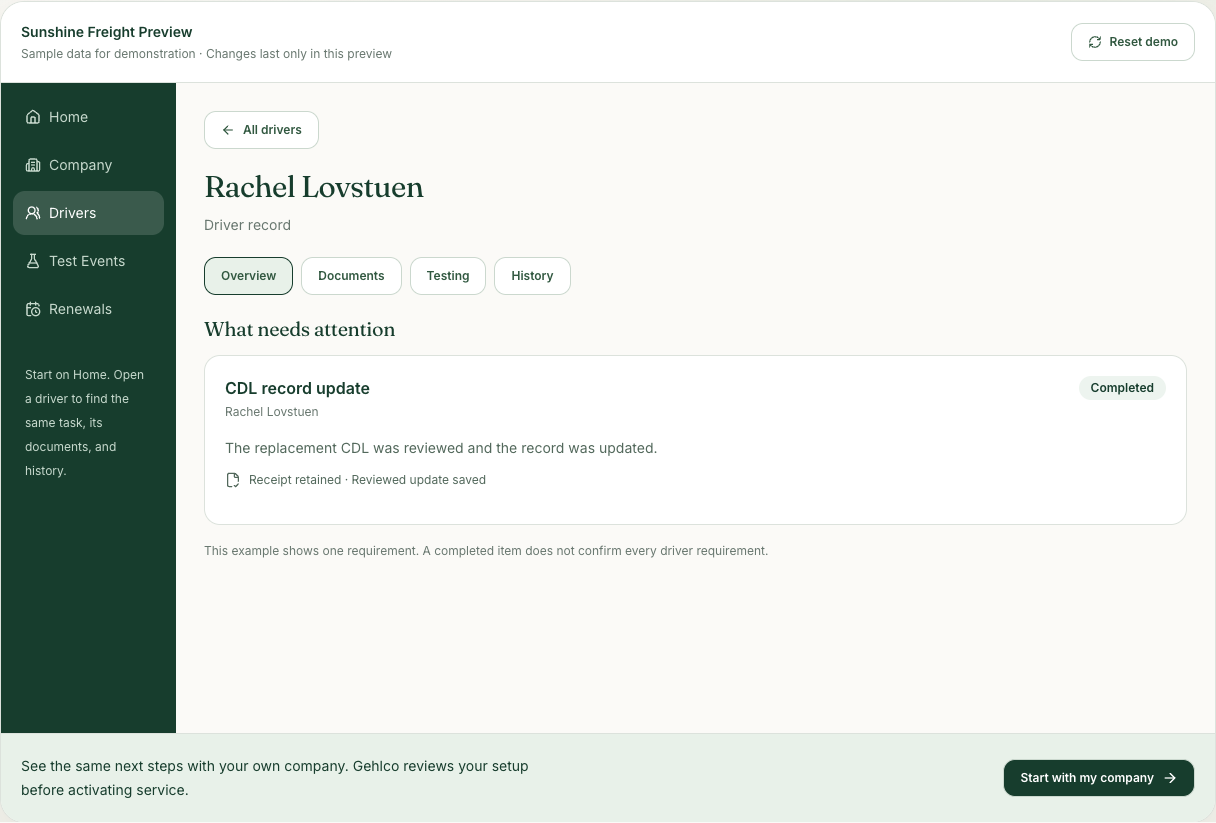
Overview, Documents, Testing, and History provide a consistent path through the record. A file receipt remains visible while its review is pending.
Match the work to the person
Staff review which programs and requirements apply. A person, a DOT driver record, and a portal login serve different purposes; adding one does not silently create the others.
A replacement CDL, with the story attached.
Imagine Rachel is one of your drivers. A replacement license arrives. Your team can see its receipt, the reviewed update, and the history behind the change on the same driver record. If evidence still needs correction, that work stays visible instead of disappearing into the upload.
Clear work. Clear responsibilities.
Gehlco helps organize evidence and reviewed work. One completed checklist item does not establish overall driver qualification, and an uploaded document does not become current just because it arrived. The employer and appropriate reviewers retain their responsibilities.
Common questions
Can we start with our existing driver files?
Yes. Start with your current roster and the documents you already have. Gehlco reviews identity, program coverage, and evidence with you; uncertain matches remain questions to resolve.
Is every employee treated as a DOT driver?
No. People, company relationships, and program enrollments are distinct. Staff review applicability so the same requirements are not assumed for every person.
Does an upload finish the requirement?
No. Receipt, staff review, corrections, and a completed update have separate meanings and remain visible.
Keep exploring
The workflow works best when the handoffs stay connected.
- Testing & consortium — Keep random selections, test records, results, and follow-up work connected with Gehlco consortium support.
- Renewals & deadlines — Connect renewal dates, retained documents, reviewed completion, and the next cycle of work.
- Documents & follow-ups — Follow documents from receipt through review, correction, and completion with Gehlco support.